Summary: This guide provides direct access to the macOS Sequoia full installer, DMG file, and ISO image. You can also use iBoysoft DiskGeeker to download macOS Sequoia or create a bootable USB installer.
Note: macOS Tahoe has now replaced macOS Sequoia as Apple's most recent macOS release. If your Mac supports macOS Tahoe, you may wish to upgrade using the macOS Tahoe full installer by following the Mac Operating System Download and Install Guide.
This article is written in Australian English and is intended for readers in Australia.
Released on 16 September 2024, macOS Sequoia is the 21st major version of Apple's desktop operating system and follows macOS Sonoma.
One of the key additions in macOS Sequoia is Apple Intelligence, which represents Apple's first broad integration of AI technologies into macOS. This system combines on-device processing with cloud-based services to deliver features such as improved Siri responses, AI-assisted writing, image creation, and ChatGPT integration.
If you plan to install macOS Sequoia, you will need to download it first. Depending on how you intend to use it, you may require the macOS Sequoia installer, a DMG file, or an ISO file.
Note: If you are looking for older versions of macOS, see: How to Download Old Mac OS without App Store?
If you need other macOS installers, visit: Mac OS Free Download Full Version.
| Download macOS Sequoia DMG | for installing on a Mac or creating a Sequoia bootable USB |
| Download macOS Sequoia ISO | for installing macOS Sequoia on a Windows virtual machine (macOS Download for Windows) |
| Download macOS Sequoia installer | for installing on a Mac or building a bootable USB |
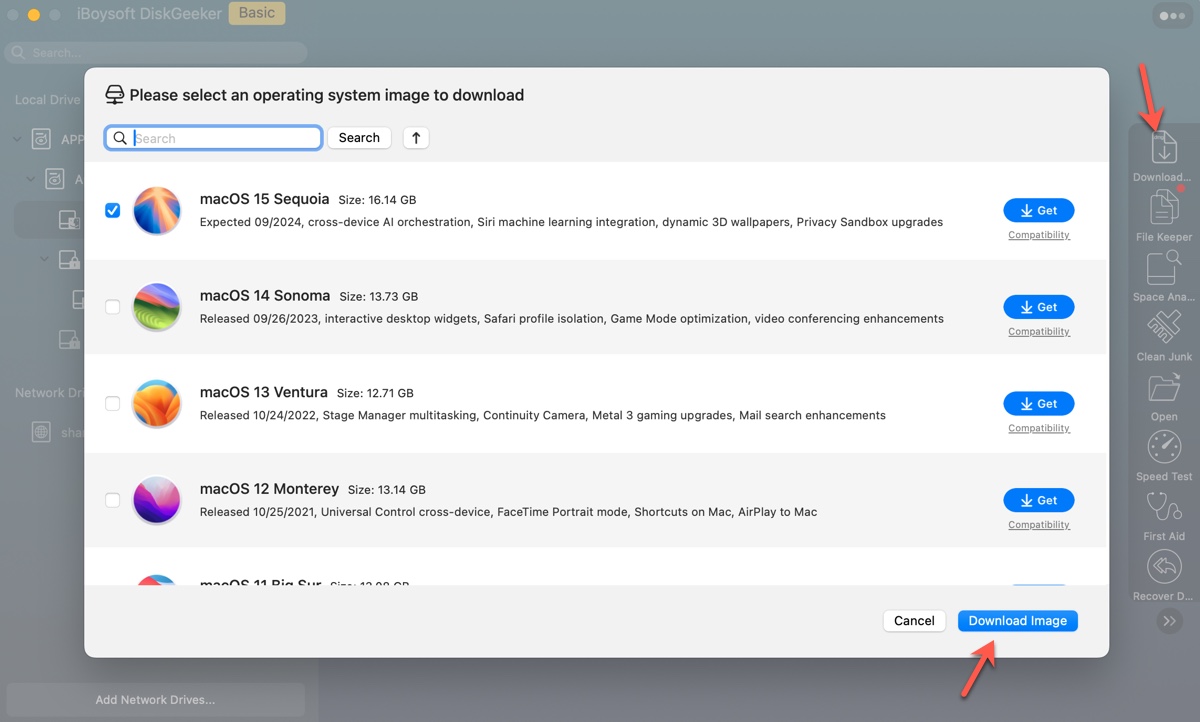
Tips: If you want a quicker way to download macOS Sequoia or prefer not to use complex Terminal commands to create a bootable USB, iBoysoft DiskGeeker is a practical option.
To download macOS Sequoia, select an internal partition and click Download Image.
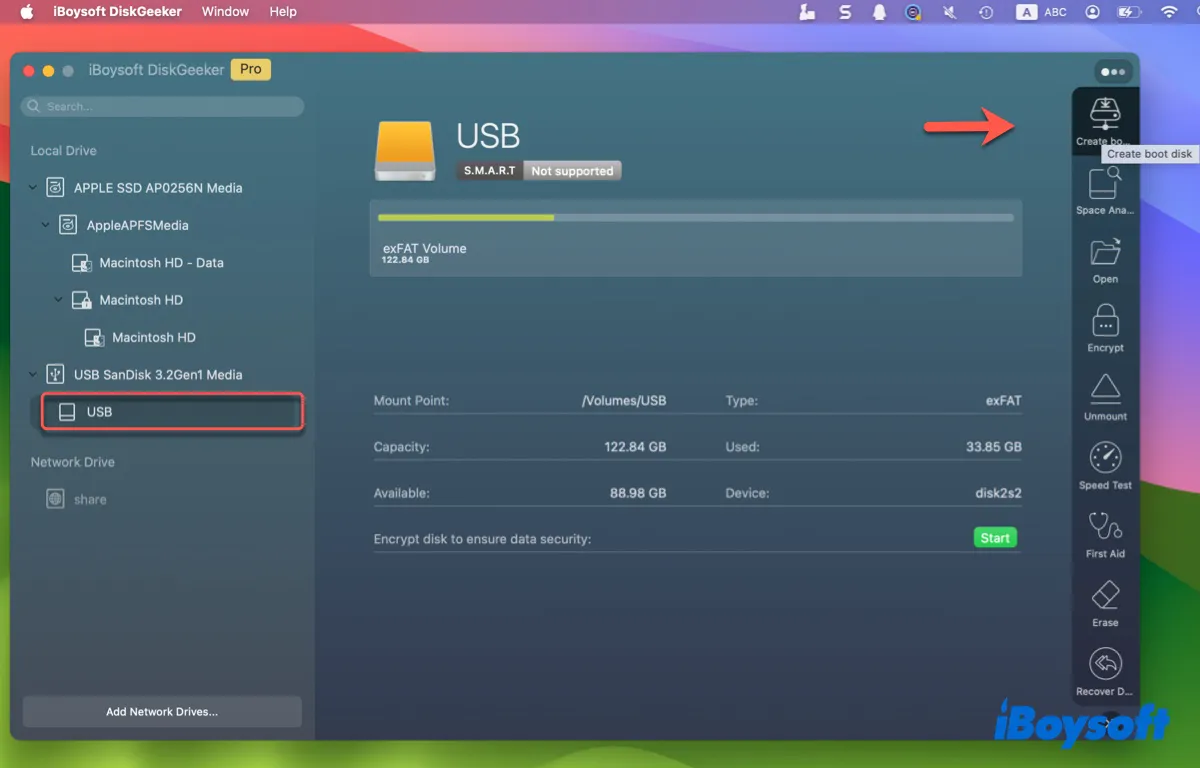
To create a Sequoia bootable installer, connect a USB drive, select it from the sidebar, and click Create boot disk.
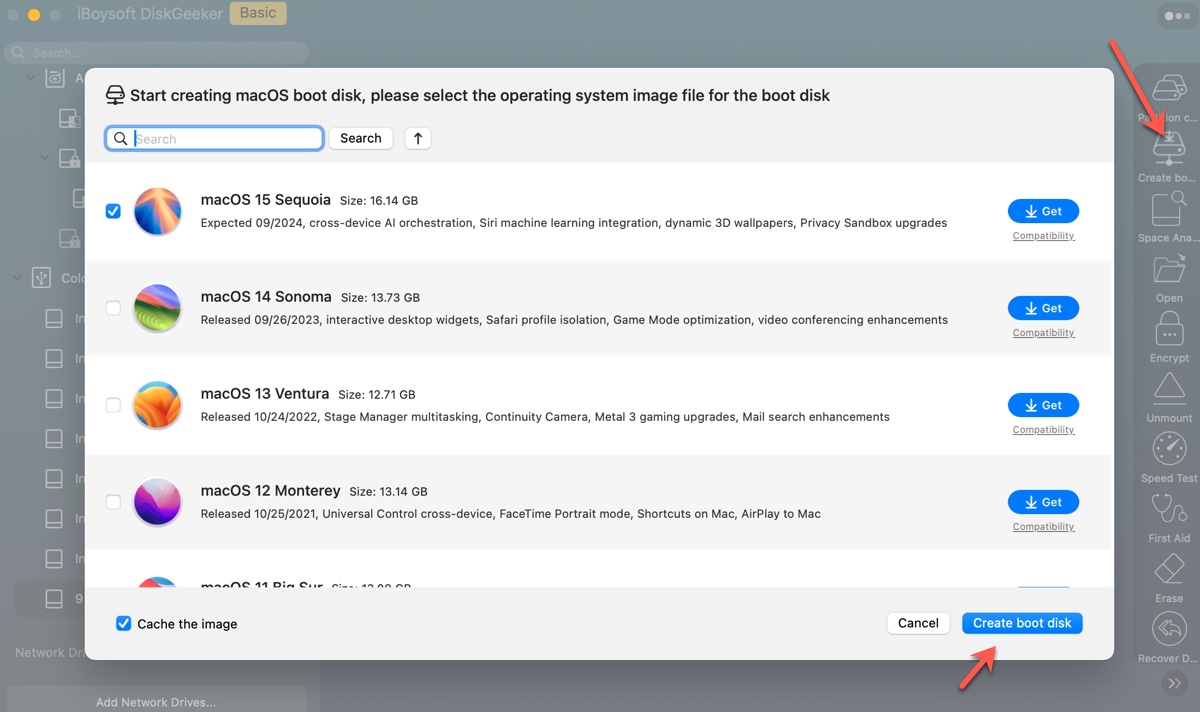
You can also continue downloading other macOS installers using the same tool.
To review known issues and fixes in the current release, see: macOS Sequoia 15.7.3 Issues, Bugs, & Fixes
How to download macOS Sequoia ISO file?
A macOS Sequoia ISO file is an ISO-format disk image that contains installation files, boot components, and system utilities. It is commonly used for installing macOS Sequoia on virtual machines such as VirtualBox, VMware, or Parallels Desktop on Windows.
To create a reliable macOS Sequoia 15.7 ISO file:
- Download, install, and open iBoysoft DiskGeeker.
-
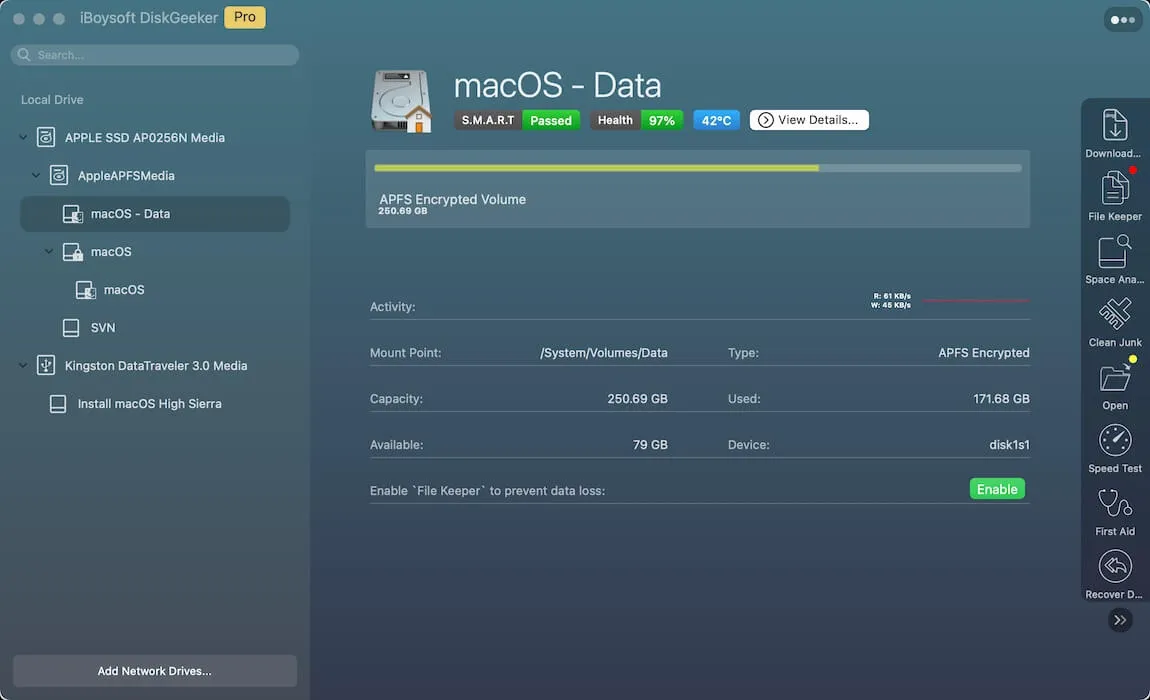
Select an internal volume from the left and click Download Image.
-
Choose macOS Sequoia and click Get.
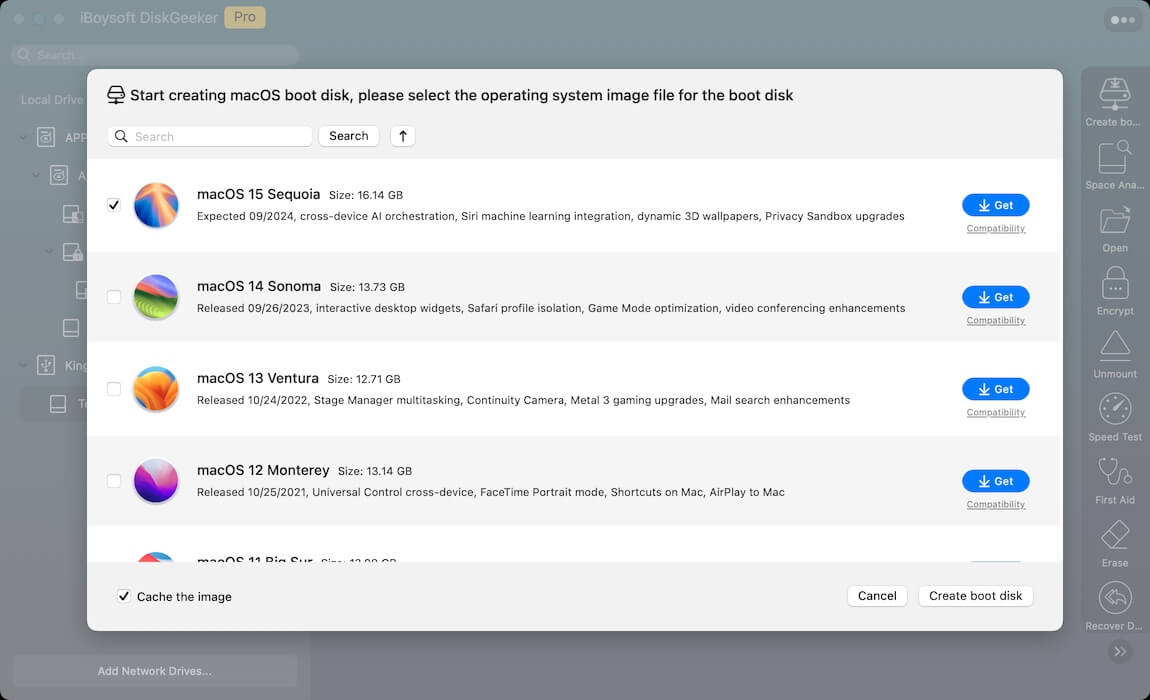
- Select a save location for the macOS Sequoia DMG file.
- Once the download completes, open Terminal.
-
Run the command below one by one to create a legitimate macOS Sequoia ISO file.hdiutil convert sequoia_dmg_path -format UDTO -o ~/Desktop/Sequoia.cdrTo execute this command, type hdiutil convert in Terminal, leave a space, drag and drop the Sequoia DMG file to Terminal to get its file path, leave a space, then copy the rest of the command to Terminal and hit Enter.
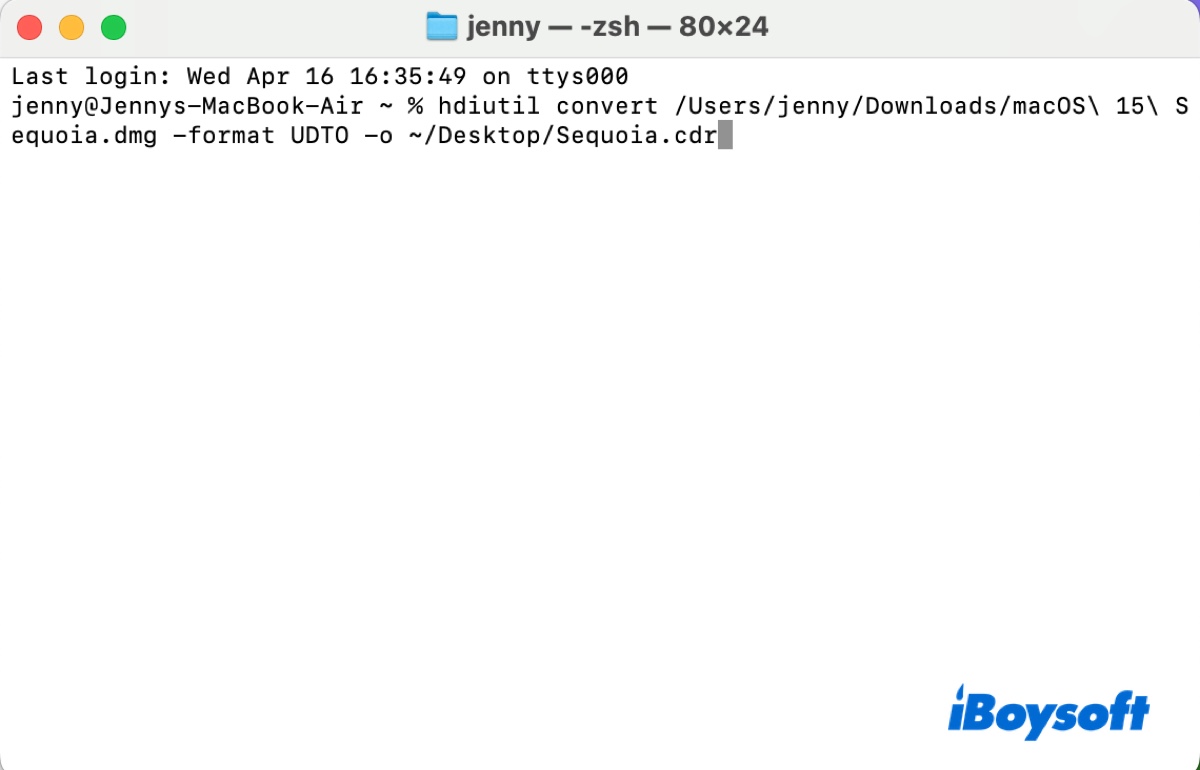 mv ~/Desktop/Sequoia.cdr ~/Desktop/Sequoia.iso
- The macOS Sequoia ISO file will appear on your desktop.
Alternatively, you can download the macOS Sequoia ISO file directly for VirtualBox or VMware using the provided links.
Download macOS Sequoia ISO (Credit: Metaperso)
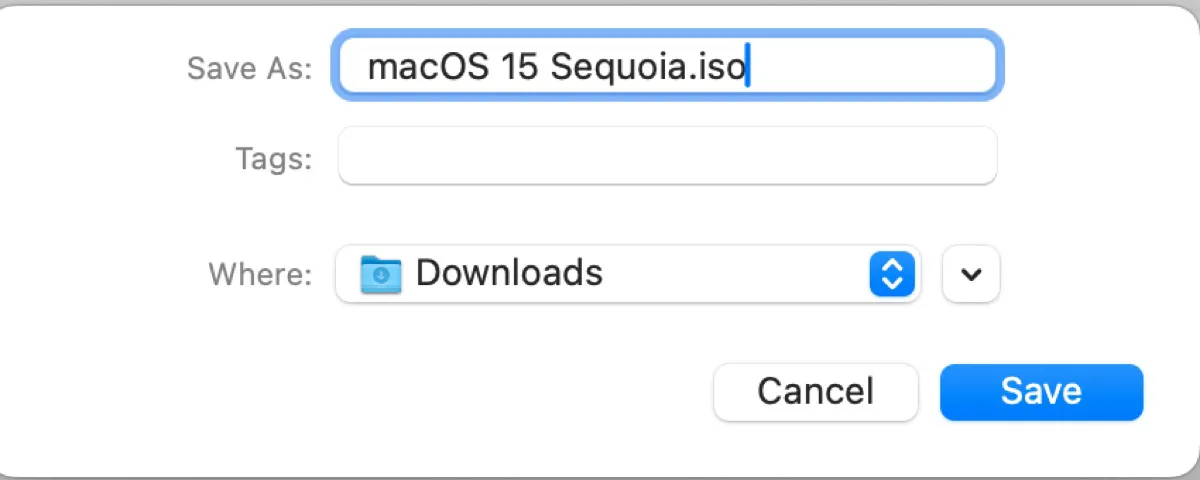
Share to help others download macOS Sequoia ISO on Windows!
How to download macOS Sequoia DMG file?
A macOS Sequoia DMG file is a disk image that contains the macOS installer. When mounted on a Mac, it allows you to access and run the installer.
DMG files are widely used for distributing macOS versions and can also be used to create bootable USB installers.
To download the latest macOS Sequoia DMG file:
Step 1: Download and install iBoysoft DiskGeeker.
Step 2: Select your Mac's data volume and click Download Image.
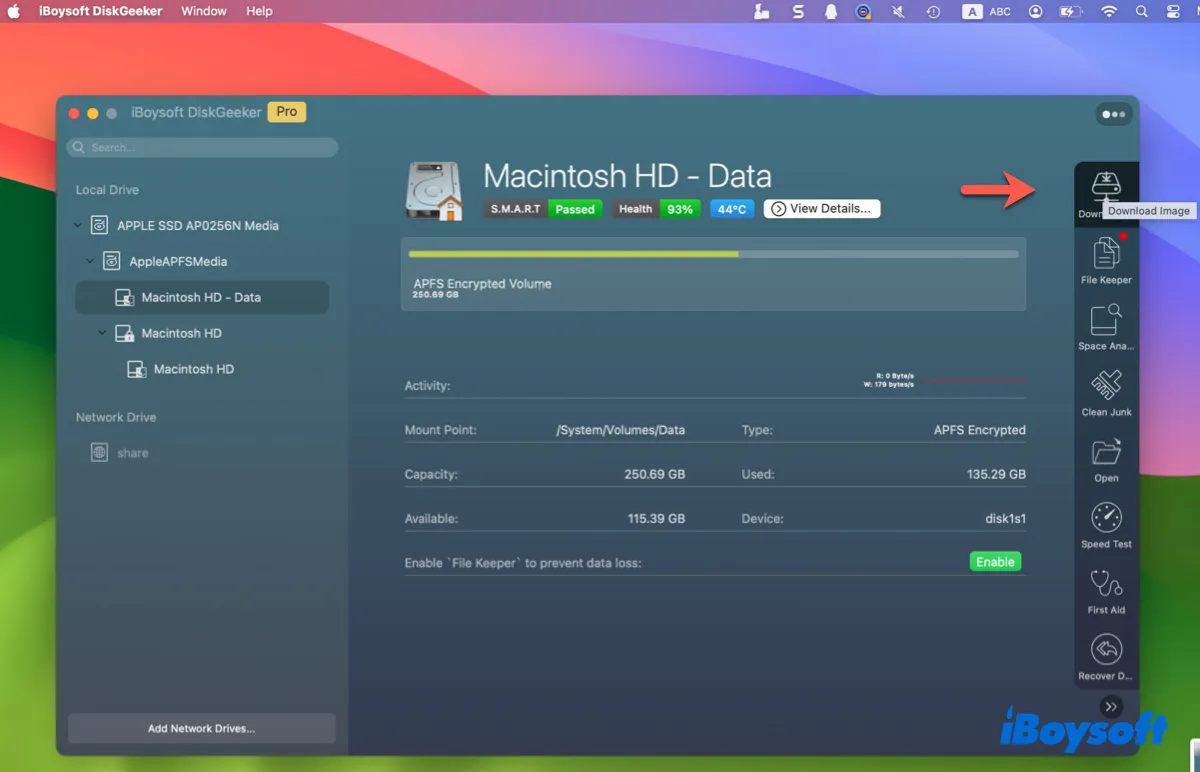
Step 3: Click Get next to macOS Sequoia, choose a save location, and click Save.
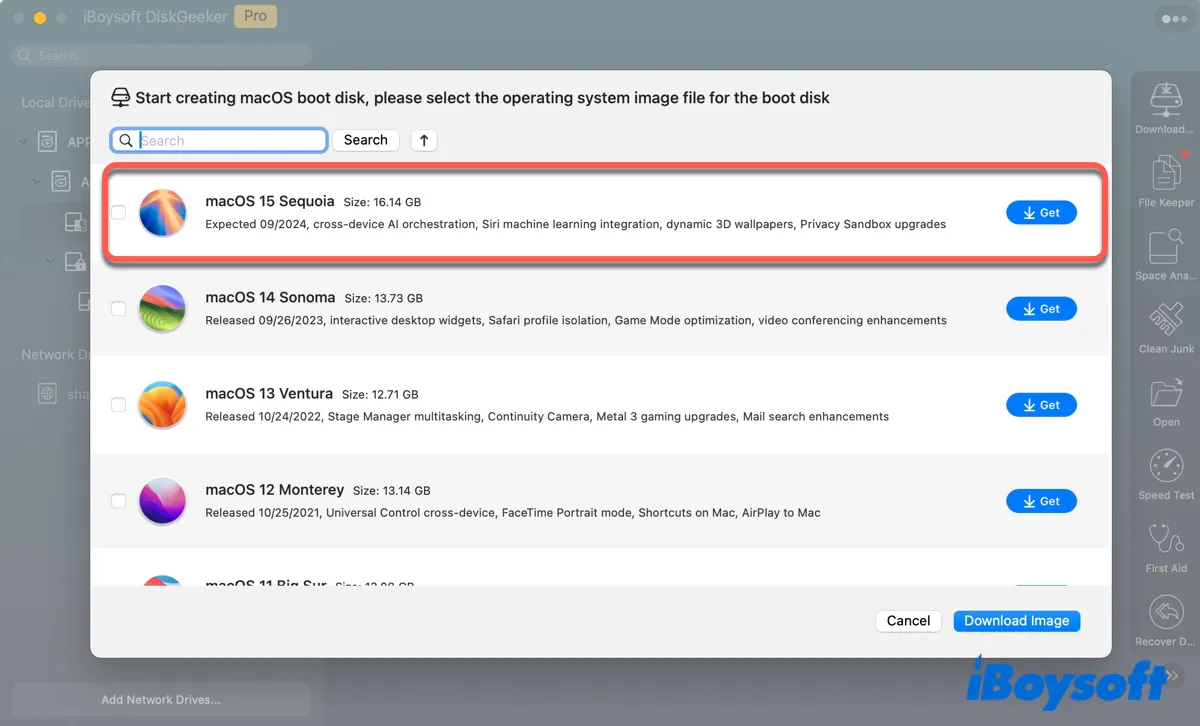
Tips: This tool also supports downloading DMG files for macOS Sonoma, Ventura, Monterey, Big Sur, Catalina, Mojave, and High Sierra.
If you prefer to download the DMG file directly, links are available via Google Drive or Media Fire.
How to create a bootable macOS Sequoia installer?
To create a macOS Sequoia bootable installer:
- Install and open iBoysoft DiskGeeker.
- Plug in an external drive with at least 32GB of storage space and ensure it's backed up.
-
Select the external drive and click Create boot disk.
-
Choose macOS 15 Sequoia and click Create boot disk. If you already have the DMG file, use Browse images to upload it instead.
- lick OK to start creating the bootable USB.
For Terminal-based instructions, refer to: How to Create Sequoia USB Installer?
Share this app to benefit more users!
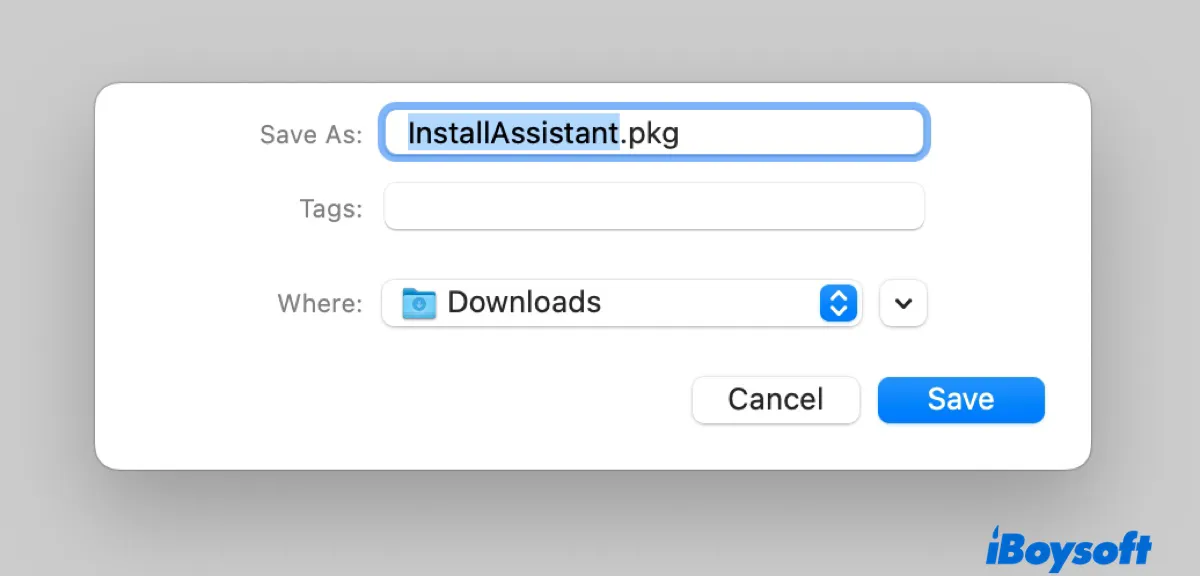
How to download macOS Sequoia installer (APP/PKG)?
There are three official methods for downloading the full macOS Sequoia installer.
Download macOS Sequoia from the Mac App Store
Your Mac must be compatible with macOS Sequoia. Supported models include:
- MacBook Air (2020 and later)
- MacBook Pro (2018 and later)
- iMac (2019 and later)
- Mac mini (2018 and later)
- iMac Pro (2017)
- Mac Pro (2019 and later)
- Mac Studio (2022 and later)
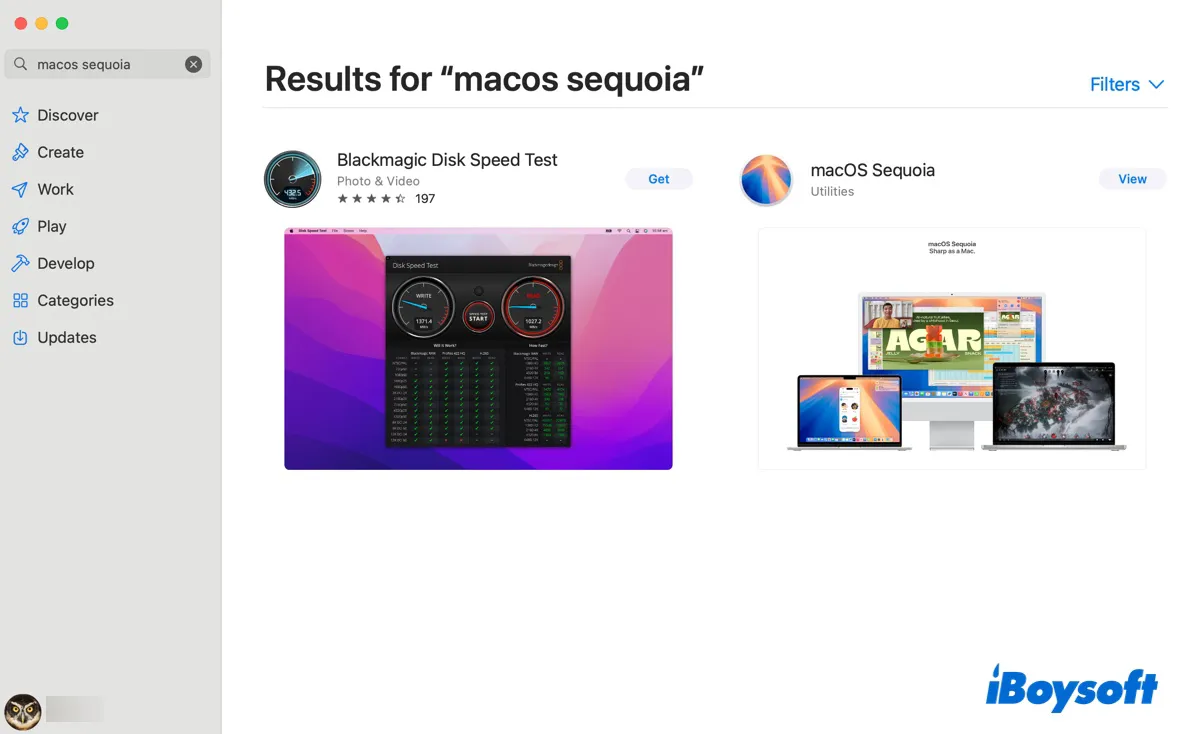
Open the Mac App Store, search for “macOS Sequoia”, then click View > Get to download the installer to the Applications folder.
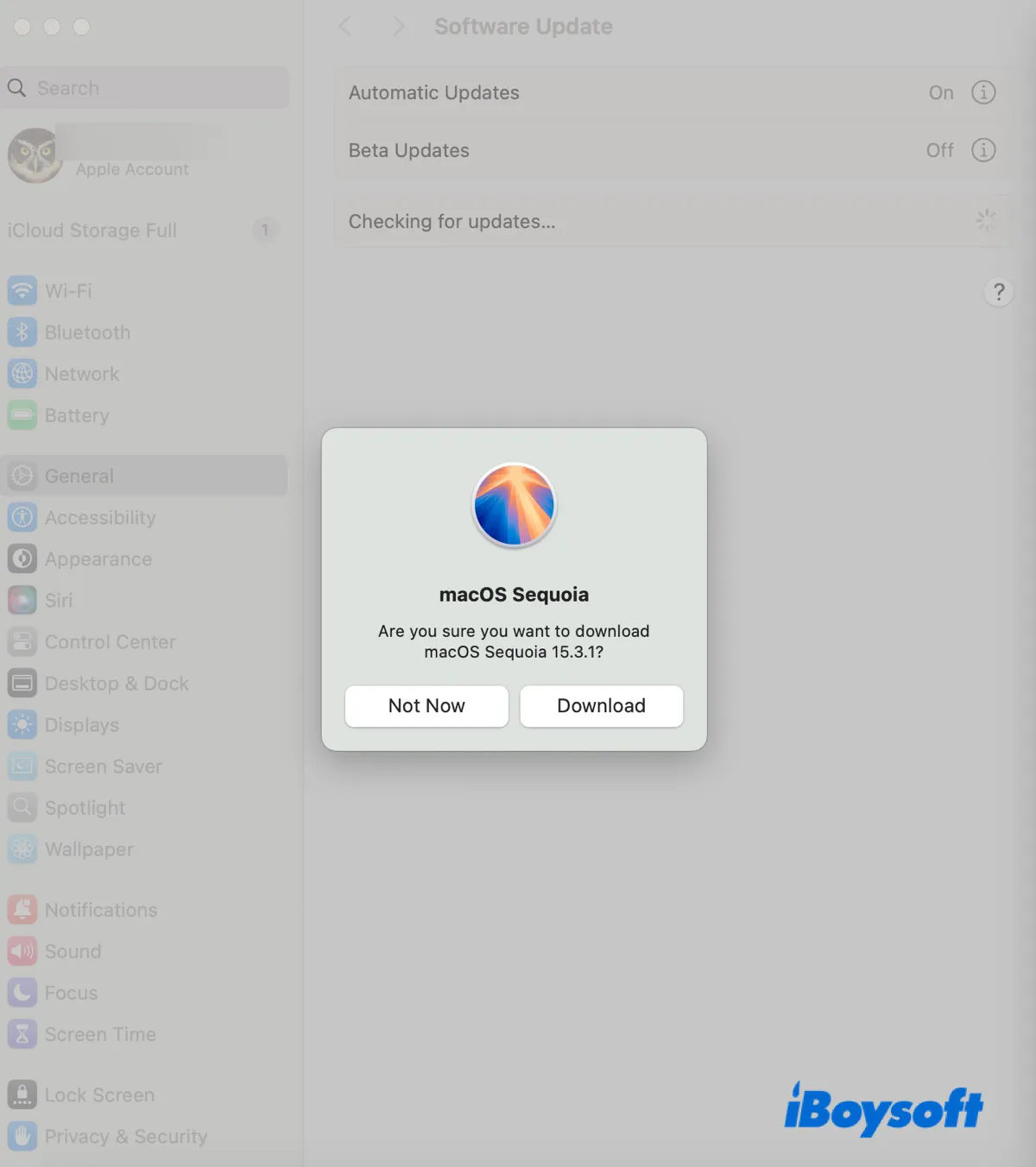
This will open the "Software Update" pane and show you the message, "Are you sure you want to download macOS Sequoia 15.7?" Click Download to download the Install macOS Sequoia.app installer to your Applications folder.
Download macOS Sequoia from Apple's server
You can also download the macOS Sequoia installer directly from Apple's servers, including earlier versions where available.
| macOS Sequoia Full Installer Versions | Build | App | Availability | Date |
| macOS Sequoia 15.7.3 download | 24G419 | / | YES | 2025/12/12 |
| macOS Sequoia 15.7.2 download | 24G325 | / | YES | 2025/11/3 |
| macOS Sequoia 15.7.1 download | 24G231 | / | YES | 2025/9/29 |
| macOS Sequoia 15.7 download | 24G222 | / | YES | 2025/9/15 |
| macOS Sequoia 15.6.1 download | 24G90 | / | YES | 2025/8/20 |
| macOS Sequoia 15.6 download | 24G84 | / | YES | 2025/7/29 |
| macOS Sequoia 15.5 download | 24F74 | / | YES | 2025/5/12 |
| macOS Sequoia 15.4.1 download | 24E263 | / | YES | 2025/4/16 |
| macOS Sequoia 15.4 download | 24E248 | / | YES | 2025/3/31 |
| macOS Sequoia 15.3.2 download | 24D81 | / | YES | 2025/3/11 |
| macOS Sequoia 15.3.2 download (M4 Air & Studio) | 24D2082 | M4 Air & M4 Studio | YES | 2025/3/11 |
| macOS Sequoia 15.3.1 download | 24D70 | / | YES | 2025/2/10 |
| macOS Sequoia 15.3 download | 24D60 | / | YES | 2025/1/27 |
| macOS Sequoia 15.2 download | 24c101 | 20.2.05 | YES | 2024/12/11 |
| macOS Sequoia 15.1.1 download | 24B91 | / | NO | 2024/11/19 |
| macOS Sequoia 15.1.1 download (M4) | 24B2091 | M4 exclusive | NO | 2024/11/19 |
| macOS Sequoia 15.1 download | 24B83 | 20.1.01 | NO | 2024/10/28 |
| macOS Sequoia 15.1 download (M4) | 24B2083 | M4 exclusive | NO | 2024/10/30 |
| macOS Sequoia 15.0.1 download | 24A348 | 20.0.05 | NO | 2024/10/04 |
| macOS Sequoia 15.0 download | 24A335 | 20.0.03 | NO | 2024/9/16 |
Download macOS Sequoia from Terminal
With a compatible Mac model, you can also download macOS Sequoia from Terminal. On a compatible Mac:
- Open Terminal.
-
List available installers:softwareupdate --fetch-full-installer --list-full-install
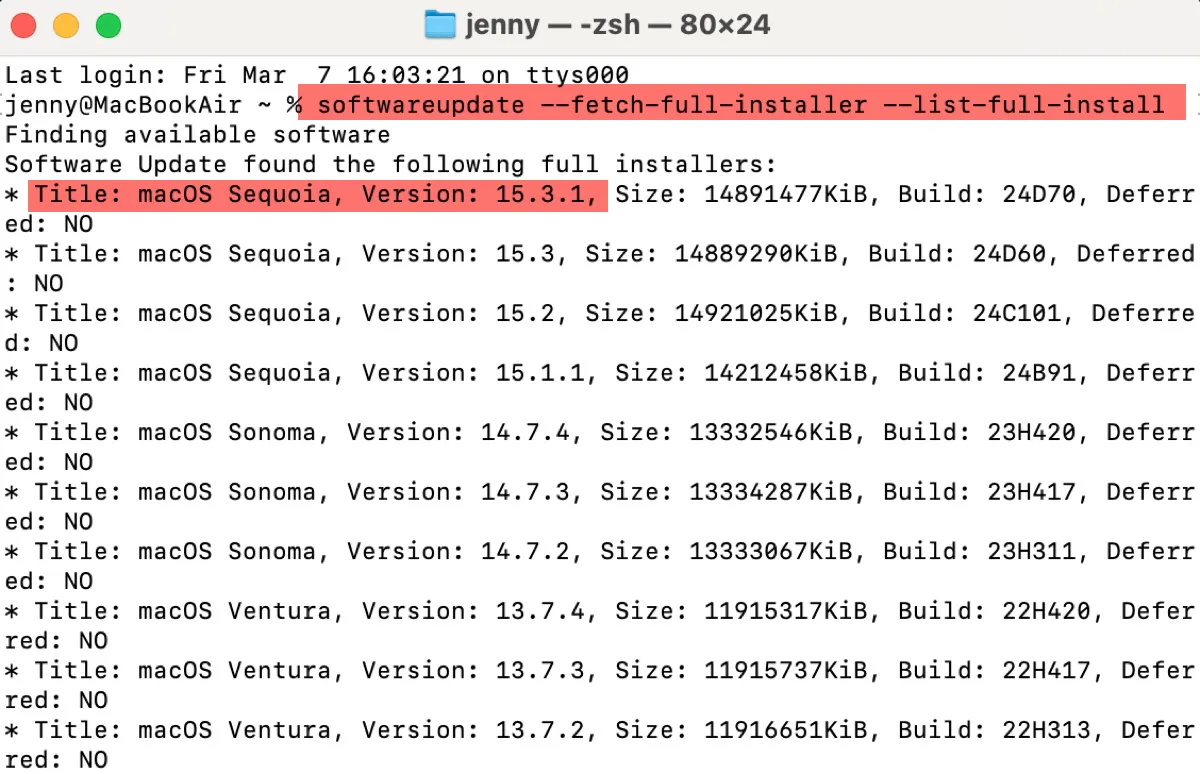
- Note that the latest version of macOS Sequoia.
- Replace "version" in the command below to download the newest macOS Sequoia version.softwareupdate --fetch-full-installer --full-installer-version version
For example, softwareupdate --fetch-full-installer --full-installer-version 15.7.2
Find the information useful? Share it!
What if you can't download macOS Sequoia?
If the download takes an unusually long time or fails partway through, insufficient storage space is often the cause. Clearing space on your Mac usually resolves the issue.
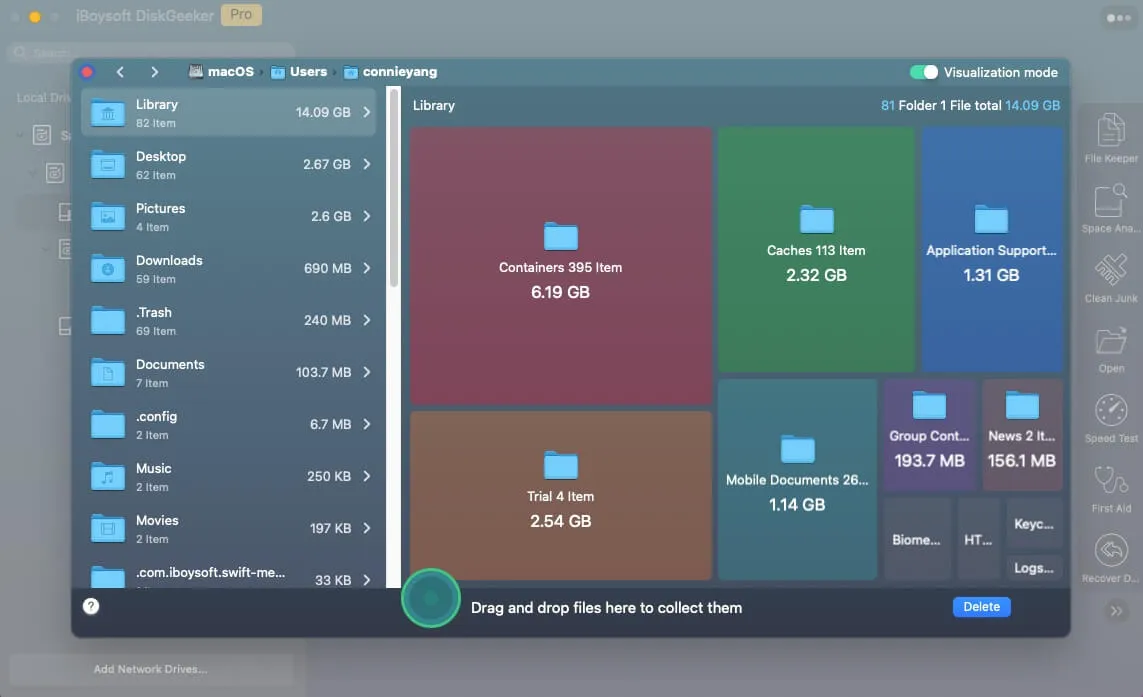
Using iBoysoft DiskGeeker, you can analyse disk usage with Space Analyze and remove large files you no longer need.
Using iBoysoft DiskGeeker, you can analyse disk usage with Space Analyze and remove unnecessary large files.
The Clean Junk feature can also remove caches, logs, and other unnecessary data.
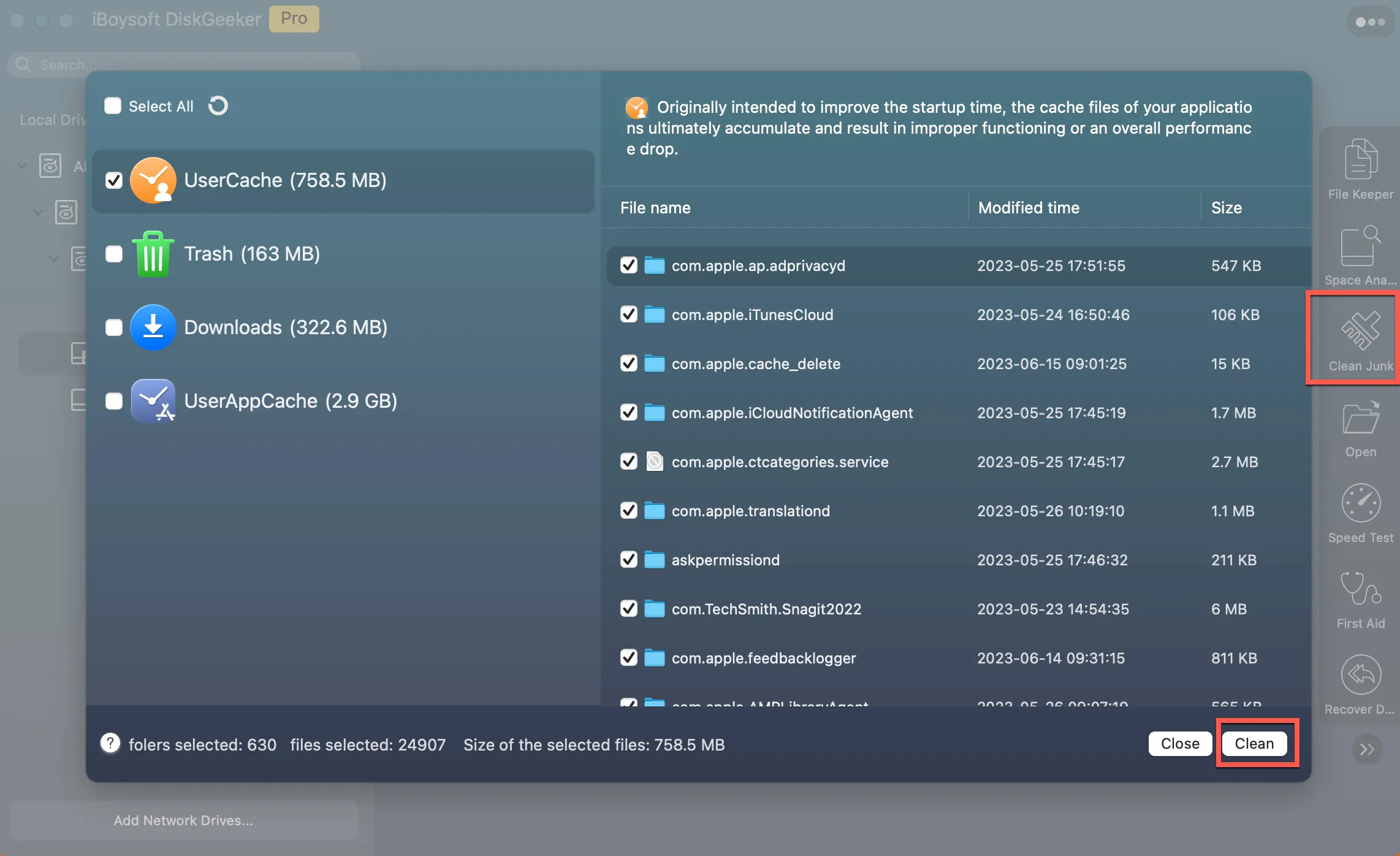
After freeing up storage space, you should be able to download the macOS Sequoia installer successfully.
Click the button below to share the ways to get macOS Sequoia DMG, ISO, or installer download!